
Personal and Family Digital Guidance
Digital Security Snapshot and Kids Online Risk
A focused private review of your current digital-security setup, family concerns, and kids online-risk questions. Understand your biggest weak spots, prioritize what matters, and receive practical guidance for protecting your accounts, devices, and household.
WHAT WE REVIEW
The Most Important Areas of Your Digital Security
The review focuses on the areas most likely to affect account access, privacy, recovery, family safety, and day-to-day digital risk.
PASSWORDS AND PASSWORD REUSE
Review how passwords are currently managed and whether weak or reused passwords may be creating unnecessary risk across multiple accounts.
PASSWORD-MANAGER READINESS
Discuss whether a password manager is appropriate and how it can help create and maintain strong, unique passwords.
MULTI-FACTOR AUTHENTICATION
Review whether MFA is enabled on priority accounts and discuss stronger authentication options where appropriate.
EMAIL-ACCOUNT SECURITY
Review the security of important email accounts because email is commonly used to reset passwords and recover other services.
ACCOUNT-RECOVERY SETTINGS
Review recovery email addresses, phone numbers, backup methods, recovery codes, and other account-recovery paths.
PRIORITY ACCOUNTS
Identify which accounts should be secured first, including email, banking, cloud storage, shopping, social media, business tools, and family accounts.
PRIVACY AND DEVICE SETTINGS
Discuss practical privacy and device settings that may help reduce exposure and improve everyday security.
KIDS, TEENS, AND HOUSEHOLD ONLINE RISK
For parents, discuss social-media exposure, public profiles, location sharing, scams, impersonation, digital reputation, unsafe contact, and practical family expectations.
WHAT YOU RECEIVE
A Focused Review and Prioritized Action Plan
DIGITAL SECURITY SNAPSHOT AND KIDS ONLINE RISK
$199 one-time
Private 45-60 minute one-on-one video review
Includes:
- Private 45–60 minute video review
- Personal or household security-posture discussion
- Password and password-manager review
- MFA review
- Account-recovery review
- Email and priority-account guidance
- Privacy and device-setting discussion
- Optional parent guidance for kids and teen online risk
- Plain-English recommendations
- Prioritized action plan
- One Full Dark Web Exposure Report for one email address
- Up to four additional email exposure reports for $6.99 each
Disclosure: The included Full Dark Web Exposure Report is a one-time report for one email address. Ongoing Dark Web Monitoring is not included unless purchased separately.
get your Free checklist
Free Parent's 10 Minute Digital Safety Checklist
This quick checklist helps you identify which areas of your family’s digital safety are already in good shape and which may need a conversation, a settings change, or additional guidance.
Mr. P1nk’s Digital Security Snapshot & Kids Online Risk Review takes a deeper look at the areas that matter most to you and your family, helping you understand your priorities and what to address next.
Your Free Check List Includes:
Device Passcode & Lock Screen Security
Making sure your child’s phone, tablet, or computer is protected with a secure PIN, passcode, or biometric lock.Apps & Social Media
Reviewing which apps and social platforms are installed and making sure parents know what their child is using.Privacy Settings
Checking whether accounts and apps are sharing more personal information than necessary.Location Sharing
Reviewing which apps, services, friends, or contacts can see your child’s location.Multi-Factor Authentication (MFA)
Checking whether important accounts have an additional layer of protection beyond just a password.App Downloads & Installations
Reviewing how new apps are installed and whether parental approval or restrictions should be enabled.Scams, Phishing & Suspicious Messages
Making sure kids know not to click unexpected links, share verification codes, or trust messages simply because they appear to come from someone they know.Screen Time & Device Expectations
Reviewing family expectations for when, where, and how devices should be used.Online Problems & Asking for Help
Making sure your child knows they can come to a trusted adult if they encounter inappropriate content, harassment, impersonation, threats, scams, or anything that makes them uncomfortable.Parental Controls & Family Online-Safety Tools
Considering whether parental-control tools could help with screen time, apps, websites, location features, and age-appropriate supervision.
Please fill out your First name and Email address to download your Free 10 Minute Family Checklist.
HOW IT WORKS
A Simple, Private Review Process
STEP 01
BOOK YOUR SESSION
Choose an available appointment time and complete the secure booking process.
STEP 02
COMPLETE THE INTAKE
Share your main concerns, important accounts, family questions, and recent security issues. Do not send passwords.
STEP 03
ATTEND YOUR PRIVATE REVIEW
Meet privately by video for approximately 45–60 minutes to review your digital-security concerns and selected focus areas.
STEP 04
RECEIVE YOUR ACTION PLAN
Leave with a plain-English list of priorities, practical recommendations, and clear next steps.

PARENT-FOCUSED GUIDANCE
Navigate Kids and Teen Online Risks With More Confidence
Online safety can be difficult for parents to navigate. New platforms, privacy settings, public profiles, location sharing, scams, impersonation, and unwanted contact can create concerns without giving families a clear idea of what to do next.
The kids online-risk portion of the Snapshot helps parents understand common areas of exposure, identify practical household concerns, and prepare for constructive family conversations.
Topics may include:
- Social-media privacy settings
- Public profiles and digital reputation
- Location sharing and geotagging
- Scams and impersonation
- Account security and recovery
- Unwanted or unsafe contact
- Age-appropriate online expectations
- Family communication and boundaries
- Publicly available personal information
- Practical next steps for reducing risk
The kids online-risk portion provides parent education, risk awareness, and practical guidance. It does not include secretly accessing a child’s accounts, reading private messages, installing monitoring software, or conducting a forensic investigation.
DESIGNED AROUND REAL NEEDS
Who Benefits From the Snapshot?
INDIVIDUALS
For people who want to understand their current security gaps and receive a clear plan before making changes.
PARENTS AND FAMILIES
For parents who want to improve household security and better understand kids and teen online-exposure risks.
COUPLES
For adults who share accounts, devices, subscriptions, recovery methods, or household access and want clearer security priorities.
SMALL BUSINESS OWNERS
For small business owners who need a practical starting point for reviewing account security, access, email, and exposure concerns.
PEOPLE WHO RECEIVED SECURITY ALERTS
For anyone who has received breach notices, suspicious login messages, password warnings, or account-recovery concerns.
WHY BOOK A SNAPSHOT?
Get Clarity Before Making Changes
- Identify your biggest security gaps
- Understand what should be addressed first
- Reduce password-reuse risk
- Strengthen MFA and recovery planning
- Protect priority accounts
- Understand kids and teen online-risk concerns
- Decide whether hands-on setup is needed
- Leave with a practical action plan
- Gain confidence without technical overload
FREQUENTLY ASKED QUESTIONS
CLEAR ANSWERS BEFORE YOU BOOK
DO I NEED TO GIVE YOU MY PASSWORDS?
No. You should never send or disclose your passwords. The Snapshot does not require us to know or store your passwords.
HOW LONG DOES THE SESSION TAKE?
The private one-on-one video review typically takes approximately 45–60 minutes.
WHAT DOES THE DIGITAL SECURITY SNAPSHOT REVIEW?
The review can cover passwords, password reuse, password-manager readiness, MFA, account recovery, email security, priority accounts, privacy settings, devices, and other personal or household security concerns.
WHAT DOES THE KIDS ONLINE-RISK PORTION INCLUDE?
Parents may receive practical guidance involving social-media privacy, public profiles, location sharing, scams, impersonation, account security, digital reputation, unwanted contact, and family boundaries.
WILL YOU ACCESS MY CHILD’S ACCOUNTS OR PRIVATE MESSAGES?
No. The service does not include secretly accessing accounts, reading private messages, installing monitoring software, or investigating a child’s private online activity.
IS THIS A HANDS-ON SETUP SERVICE?
No. The Snapshot is a review and prioritized action plan. Digital Lockdown Setup is available for customers who want guided help making the recommended changes.
DOES THE SNAPSHOT INCLUDE A DARK-WEB REPORT?
Yes. The service includes one Full Dark Web Exposure Report for one email address. Up to four additional email reports may be added for $6.99 each.
DOES THE INCLUDED REPORT INCLUDE ONGOING MONITORING?
No. The included report is a one-time report. Ongoing Dark Web Monitoring is separate unless specifically purchased.
WHO IS THIS SERVICE BEST FOR?
The service is designed for individuals, parents, couples, families, and small business owners who want a clear starting point and practical priorities.
CAN YOU GUARANTEE THAT I WILL NOT BE HACKED?
No. No service can guarantee complete protection. The purpose of the Snapshot is to identify concerns, reduce risk, improve security decisions, and provide practical next steps.
WHAT SHOULD I PREPARE BEFORE THE SESSION?
Prepare a list of your main concerns, important accounts, recent breach or login alerts, household questions, and any kids online-risk topics you want to discuss. Do not send passwords.
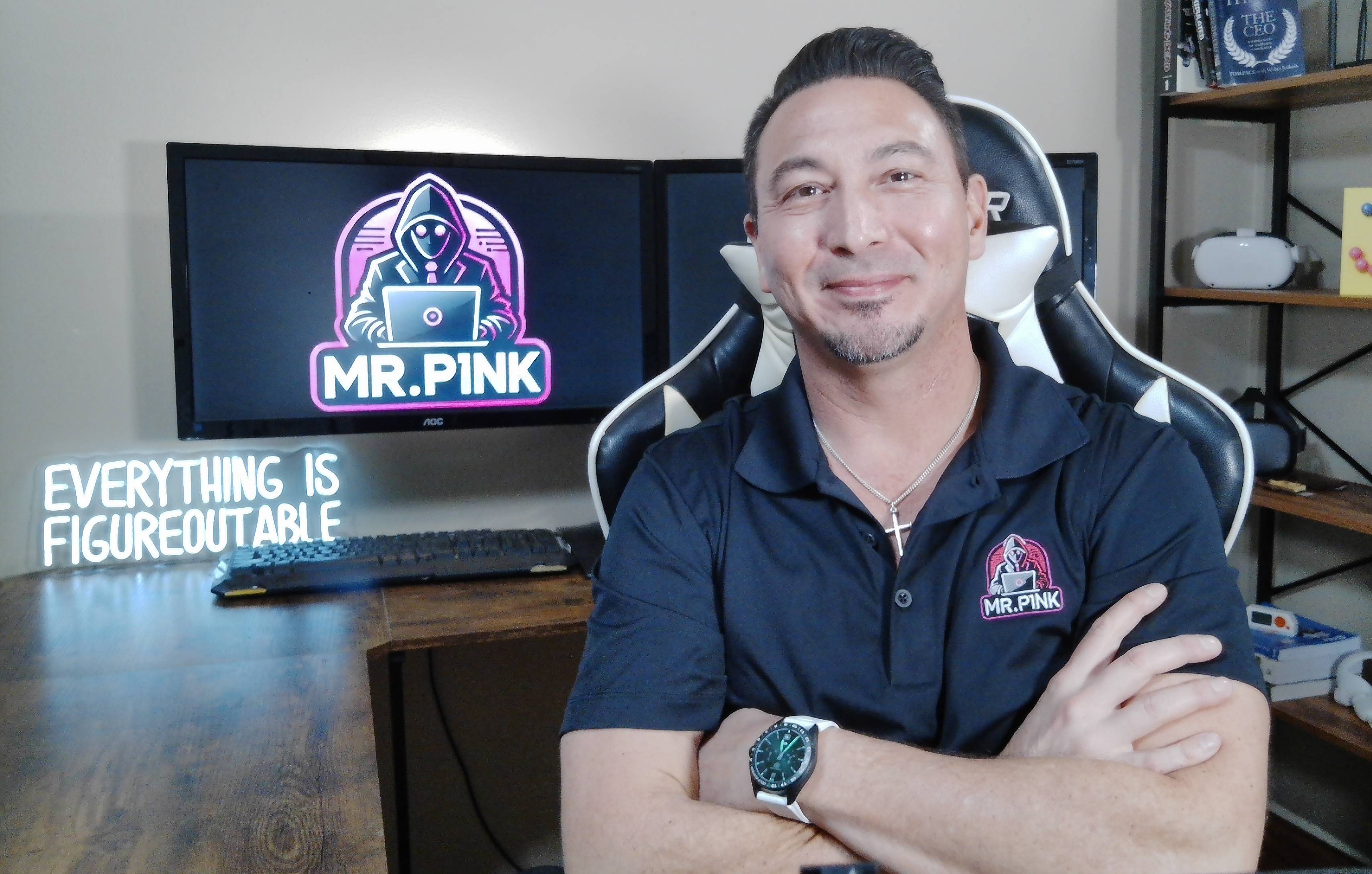
MEET THE FOUNDER & CEO
Hey, I’m Mr. P1nk!
I have more than 25 years of professional information-technology experience helping organizations and individuals navigate security, networks, devices, accounts, and changing technology.
I created Mr. P1nks Digital Protection Services to make personal cybersecurity easier to understand. Instead of overwhelming customers with technical terminology or fear-based warnings, I provide clear explanations, practical recommendations, and hands-on guidance designed around real people and families.
Whether you are concerned about exposed information, account security, family devices, or kids’ online risks, the goal is to help you understand what matters most and what practical step to take next.
- More than 25 years of IT experience
- Background in network engineering and IT leadership
- Former college-level technology instructor
- Practical guidance for nontechnical users
- Husband and father of a preteen and teen
- Calm, practical, and nonjudgmental approach

Home · Services · Free Scan · How It Works · FAQ · Contact · Privacy Policy · Terms of Service · Disclaimer
Reports and reviews are based on known information and exposure data available at the time of service. No scan or review can guarantee that every exposure will be identified or that future compromise will be prevented. Services are intended for awareness, risk reduction, security guidance, and remediation planning.
© 2026 Mr. P1nks Digital Protection Services. All rights reserved.