Practical Digital Security Guidance & Dark Web Services
Mr. P1nks Digital Protection Services
THE HIDDEN RISK
KNOW WHAT TO FIX FIRST
Most people know they should be doing more to protect their accounts, devices, passwords, and family online. The difficult part is knowing where to begin.
Old passwords, reused logins, missing multi-factor authentication, weak recovery settings, public information, exposed email addresses, and unsafe privacy settings can increase the risk of account takeover, phishing, scams, identity misuse, and unwanted online exposure.
The goal is not to create fear. The goal is to identify the most important risks and give customers a clear place to start.
Exposed email addresses
Email addresses found in exposure records can increase the risk of phishing, scams, and account takeover attempts.
Reused or compromised passwords
Using the same or exposed passwords across accounts makes it easier for attackers to move from one account to another.
Missing multi-factor authentication
Important accounts without multi-factor authentication turned on are easier to break into using exposed credentials.
Weak account recovery settings
Outdated or insecure backup email addresses, phone numbers, and recovery options can make it harder to regain access after a problem.
Public personal information
Easily available details about you or your family can be combined with other data to target scams or answer weak security questions.
Kids and teen online exposure
Social media, location sharing, public posts, and unsafe contact can increase risk for kids and teens if families are not given clear guidance.
CHOOSE YOUR STARTING POINT
PRACTICAL DIGITAL PROTECTION SERVICES
Start with a simple exposure scan, receive a detailed security review, or get hands-on assistance securing your accounts and devices. Each service is designed to give you a clear next step without unnecessary technical language.
FREE DARK WEB EXPOSURE SCAN
Check whether one email address appears in known breach or exposure records. The free scan provides a basic exposure count and general next steps by email.
- Checks one submitted email address
- Provides a simple exposure count
- No passwords required
The free scan does not include a full exposure report, complete breach details, or hands-on remediation.
DETAILED DARK WEB REPORT AND MONITORING
Receive a customer-facing report explaining known exposure records connected to the submitted email address, what the findings may mean, and which steps can help reduce account risk.
- Detailed customer-facing PDF report
- Partially masked exposed-password indicators when available
- Remediation guides and practical next steps
Customers who want personal assistance understanding the report may choose a private Dark Web Exposure Review.
DIGITAL SECURITY SNAPSHOT AND KIDS ONLINE RISK
A focused, plain-English review that helps individuals, parents & families identify their most important digital-security concerns and decide what to address first.
- Reviews passwords, MFA, account recovery, email security, privacy, and priority accounts
- Helps identify which risks should be addressed first
- Provides parent-focused guidance on kids and teen online exposure
- Includes practical recommendations and a prioritized action plan
- Serves as a strong first step before a Digital Lockdown Setup
The kids online-risk portion provides parent education, risk awareness, and practical guidance. It does not include secretly accessing a child’s accounts, reading private messages, installing monitoring software, or conducting a forensic investigation.
DIGITAL LOCKDOWN SETUP
Get hands-on assistance securing important accounts, passwords, multi-factor authentication, recovery settings, email, devices, and household digital access.
- Guided account and device security setup
- Practical password, MFA, and recovery assistance
- Available for individuals, couples, and families
Available options:
- Individual Digital Lockdown
- Couple Digital Lockdown
- Family Digital Lockdown
parental controls & family online safety
Explore practical tools and guidance for screen time, apps, websites, location, online activity, and family digital boundaries.
Guidance for screen time
Monitoring Online Activity
Chat Alerts
Explore parental-control tools, screen-time management, location features, app and website controls, and practical guidance for helping kids and teens navigate the digital world.
HOW IT WORKS
A CLEAR PATH TO BETTER DIGITAL SAFETY
STEP 01
CHOOSE YOUR STARTING POINT
Begin with a free scan, detailed exposure report, Digital Security Snapshot and Kids Online Risk review, or hands-on Digital Lockdown Setup.
STEP 02
COMPLETE THE SCAN OR INTAKE
Provide only the information required for the selected service. Customers are never asked to send or disclose their passwords.
STEP 03
RECEIVE A CLEAR EXPLANATION
Receive results, guidance, or recommendations in plain English so you understand what was found and what matters most.
STEP 04
TAKE THE NEXT PRACTICAL STEP
Use the recommendations yourself or choose hands-on Digital Lockdown assistance to secure priority accounts and devices.
WHY MR. P1NKS
BUILT FOR REAL PEOPLE

Digital security can feel confusing, especially when people are given long technical checklists without knowing which risks actually matter. Mr. P1nks Digital Protection Services focuses on clear explanations, realistic recommendations, and practical assistance.
- Plain-English cybersecurity guidance
- Calm and nonjudgmental approach
- Clear priorities instead of technical overload
- No passwords required for scans or reviews
- Customer-facing reports and remediation guidance
- Hands-on setup assistance when needed
- Services for individuals, parents, couples, families, and small business owners
DESIGNED AROUND REAL NEEDS
WHO WE HELP
INDIVIDUALS
For people who want to understand their personal exposure, improve account security, and receive clear guidance on what to address first.
PARENTS AND FAMILIES
For parents who want to secure household accounts and devices while better understanding kids and teen online-exposure risks.
COUPLES
For two adults who need help securing shared accounts, individual logins, recovery paths, financial accounts, and household access.
TRUST AND TRANSPARENCY
CLEAR EXPECTATIONS FROM THE START
- Customers are never asked to send or disclose passwords.
- Free scans provide a basic exposure count and not a complete exposure report.
- Reports are based on known exposure data available at the time of review.
- Exposed passwords are partially masked in customer-facing reports.
- No scan can guarantee that every breach or exposure will be identified.
- No service can guarantee complete protection from hacking, scams, or identity misuse.
- The purpose of each service is to reduce risk, improve security, and help customers make informed digital-safety decisions.
- Customers remain in control of their accounts and devices.
FREQUENTLY ASKED QUESTIONS
CLEAR ANSWERS BEFORE YOU BEGIN
DO I NEED TO GIVE YOU MY PASSWORD?
No. You should never send or disclose your passwords. Scans and reviews do not require access to your passwords. During hands-on setup, you remain in control of your accounts and enter your own credentials.
WHAT DOES THE FREE SCAN INCLUDE?
The free scan checks one submitted email address and provides a basic count of known exposure records. It does not include a full report, complete breach details, or hands-on remediation.
WHAT IS THE DIGITAL SECURITY SNAPSHOT AND KIDS ONLINE RISK SERVICE?
It is a focused review that helps identify important security concerns involving passwords, MFA, account recovery, email, privacy, devices, and priority accounts. Parents may also receive guidance on kids and teen online exposure, privacy, scams, location sharing, digital reputation, and practical family boundaries.
DO YOU REVIEW MY CHILD’S PRIVATE MESSAGES?
No. The service is designed to educate and guide parents. It does not include secretly accessing accounts, reading private messages, installing monitoring software, or investigating a child’s private online activity.
WHAT IS THE DIFFERENCE BETWEEN A SNAPSHOT AND A LOCKDOWN?
The Snapshot identifies risks, explains priorities, and provides a recommended action plan. Digital Lockdown Setup provides hands-on assistance making security changes to important accounts and devices.
CAN YOU GUARANTEE THAT I WILL NEVER BE HACKED?
No service can provide that guarantee. The goal is to reduce risk, strengthen important accounts, improve recovery options, and help customers make better digital-safety decisions.
DO YOU HELP FAMILIES?
Yes. Services can address parent accounts, household devices, passwords, MFA, recovery settings, shared access, and guidance involving kids and teen online risks.
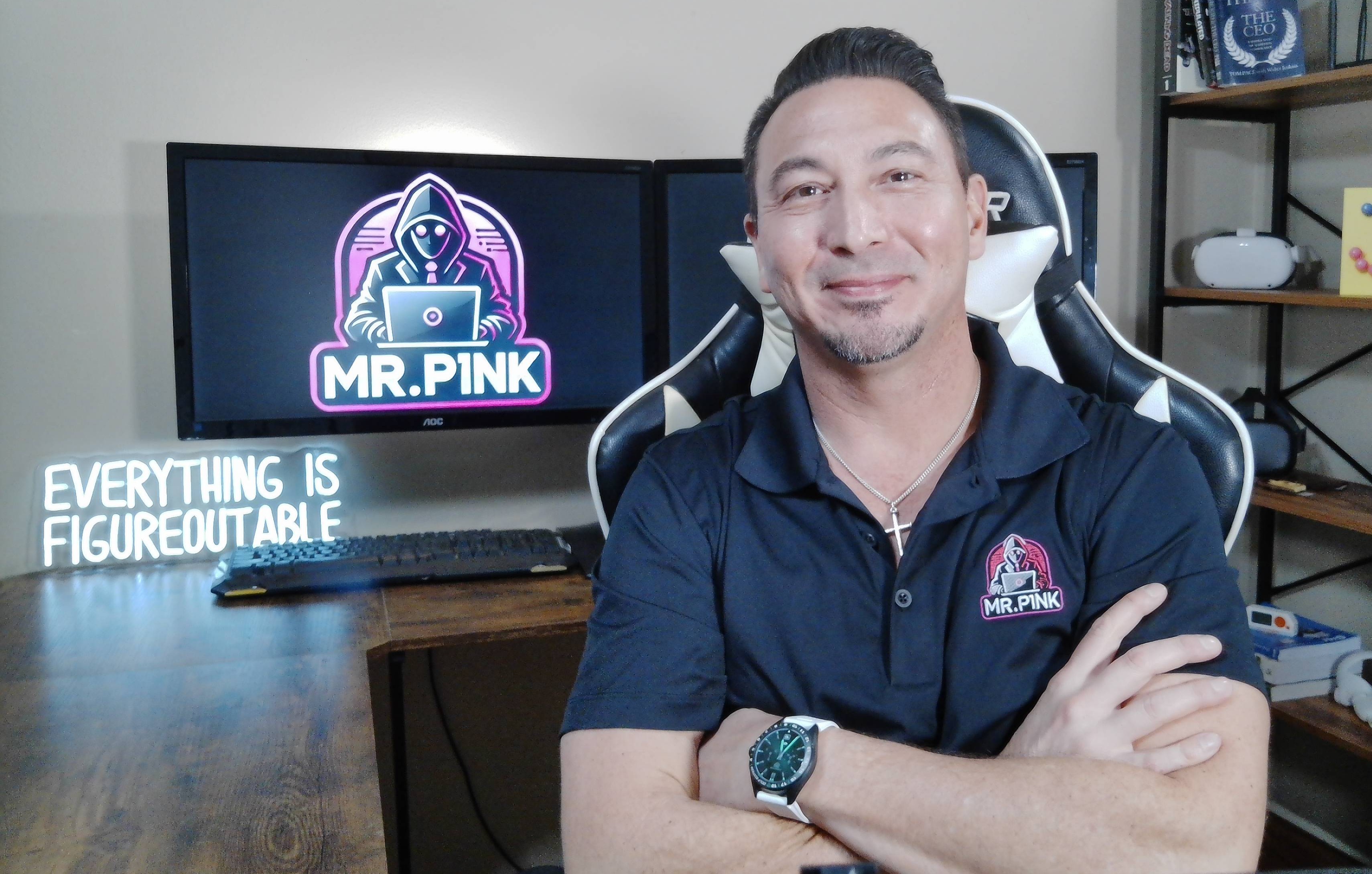
MEET THE FOUNDER & CEO
Hey, I'm Mr. P1nk!
I have more than 25 years of professional information-technology experience helping organizations and individuals navigate security, networks, devices, accounts, and changing technology.
I created Mr. P1nks Digital Protection Services to make personal cybersecurity easier to understand. Instead of overwhelming customers with technical terminology or fear-based warnings, I provides clear explanations, practical recommendations, and hands-on guidance designed around real people and families.
Whether you are concerned about exposed information, account security, family devices, or kids’ online risks, the goal is to help you understand what matters most and what practical step to take next.
More than 25 years of IT experience
Background in network engineering and IT leadership
Former college-level technology instructor
Practical guidance for non-technical users
Husband and Father of pre-teen and teen
Privacy Policy · Terms of Service · Disclaimer
Reports and reviews are based on known information and exposure data available at the time of service. No scan or review can guarantee that every exposure will be identified or that future compromise will be prevented. Services are intended for awareness, risk reduction, security guidance, and remediation planning.
© 2026 Mr. P1nks Digital Protection Services. All rights reserved.