
Hands-On Digital Security Setup
Hands-On Help Securing Your Digital Life
WHAT THIS SERVICE DOES
Guided Security Setup for Your Accounts, Devices, and Household
Digital Lockdown Setup is the hands-on service from Mr. P1nks Digital Protection Services. It is designed for customers who want practical assistance making security improvements rather than trying to complete every step alone.
Depending on the package purchased and the priorities identified during intake, the service may address passwords, password-manager readiness, password reuse, multi-factor authentication, email security, account recovery, priority accounts, devices, privacy settings, shared access, and household digital-safety practices.
This is different from a scan, report, or review. A report explains available exposure findings. The Digital Security Snapshot identifies what needs attention first. Digital Lockdown Setup helps you begin making the recommended changes.
Customers should never send passwords. Logins, password changes, MFA enrollment, and sensitive account actions are completed by the customer while being guided.
CORE SECURITY AREAS
What We May Work on Together
EMAIL-ACCOUNT SECURITY
Review the primary email account because it is commonly used for password resets and account recovery.
PASSWORD-MANAGER GUIDANCE
Discuss using a password manager to create, store, and organize strong, unique passwords.
PASSWORD-REUSE REDUCTION
Identify reused-password concerns and prioritize which important passwords should be changed first.
MULTI-FACTOR AUTHENTICATION
Guide MFA enrollment for priority accounts where stronger authentication is available.
ACCOUNT-RECOVERY SETTINGS
Review recovery email addresses, phone numbers, trusted devices, backup methods, and recovery paths.
PRIORITY ACCOUNTS
Identify the email, financial, cloud, shopping, social-media, school, business, and household accounts that deserve attention first.
DEVICES AND PRIVACY
Review practical computer, phone, tablet, location-sharing, privacy, and security settings.
HOUSEHOLD DIGITAL SAFETY
For couples and families, discuss shared access, account ownership, suspicious-message procedures, recovery planning, and practical family rules.
The exact work completed depends on the package purchased, session time, account access, verification requirements, customer readiness, and the priorities identified during intake.
HOW IT WORKS
A Clear Guided Setup Process
01
COMPLETE THE INTAKE
Share your main concerns, priority accounts, devices, recent alerts, and household needs without submitting passwords or sensitive credentials.
02
IDENTIFY THE PRIORITIES
Review your password habits, email security, recovery settings, MFA coverage, devices, and the accounts that deserve attention first.
03
BEGIN THE GUIDED SETUP
Work through the highest-priority changes while you remain in control and enter your own credentials.
04
COMPLETE THE FOLLOW-UP PLAN
Use the included follow-up session or sessions to continue priority work, review progress, and receive a plain-English list of remaining recommendations.
CHOOSE YOUR SERVICE
Select the Digital Lockdown That Fits Your Household
BEST FOR ONE PERSON
INDIVIDUAL DIGITAL LOCKDOWN SETUP
$299 one-time
Guided digital-security assistance for one person securing important accounts, passwords, MFA, recovery settings, email, devices, and privacy settings.
Sessions:
- One 60-minute guided setup call
- One 30-minute post-call follow-up
Includes:
- Individual intake and priority review
- Password-manager guidance
- Password-reuse cleanup guidance
- MFA setup guidance
- Email-account security review
- Account-recovery review
- Priority-account review
- Device and privacy recommendations
- Plain-English next-step checklist
BEST FOR TWO ADULTS
COUPLE DIGITAL LOCKDOWN SETUP
$499 one-time
Coordinated security assistance for two adults managing individual accounts, shared services, household access, recovery paths, and important devices.
Sessions:
- One 60-minute guided setup call
- One 60-minute post-call follow-up
Includes:
- Support for two adults
- Individual and shared-account review
- Password-manager guidance
- Password-reuse cleanup guidance
- MFA setup guidance
- Email and recovery review
- Household access planning
- Device and privacy recommendations
- Plain-English next-step checklist
BEST FOR FAMILIES
FAMILY DIGITAL LOCKDOWN SETUP
$699 one-time
Broader guided digital protection for parent accounts, family devices, shared access, recovery planning, privacy, and practical kids and teen online-safety considerations.
Sessions:
- One 60-minute guided setup call
- One 60-minute post-call follow-up
- One 60-minute final review
Includes:
- Family intake and priority review
- Parent-account security review
- Password-manager guidance
- Password-reuse cleanup guidance
- MFA setup guidance
- Email and recovery review
- Priority-family-account review
- Device and privacy recommendations
- Household access planning
- Kids and teen online-safety considerations
- Family communication and safety-rule suggestions
- Plain-English family action plan
NEED HELP CHOOSING?
Choose Based on Who Needs Support
INDIVIDUAL
Choose Individual when one person needs help securing personal email, passwords, MFA, recovery settings, priority accounts, and devices.
COUPLE
Choose Couple when two adults need help with individual accounts, shared services, household access, passwords, recovery options, and important devices.
FAMILY
Choose Family when a household includes children or teens, multiple devices, shared accounts, parent accounts, family recovery planning, privacy concerns, or household online-safety rules.
The Family service includes parent-focused online-safety guidance. It does not include secretly accessing a child’s accounts, reading private messages, installing surveillance software, or conducting a forensic investigation.
BEFORE YOUR SESSION
Prepare for a Productive Digital Lockdown
- Make a list of your most important accounts.
- Identify recent breach notices, password warnings, or suspicious login messages.
- Have access to your primary email account.
- Have your phone available for MFA enrollment.
- Have the computers, phones, or tablets you want to review nearby.
- Decide which accounts should receive attention first.
- For Couple or Family services, decide who should attend.
- Review whether passwords are reused.
- Keep account-recovery information available.
- Do not send passwords before the appointment.
You remain in control of every login, password change, MFA enrollment, recovery-code download, and sensitive account decision.
CHOOSE THE RIGHT LEVEL OF HELP
Digital Security Snapshot or Digital Lockdown?
DIGITAL SECURITY SNAPSHOT AND KIDS ONLINE RISK
Best for: Customers who want risks identified, priorities explained, and a practical action plan.
Includes:
- Review and assessment
- Plain-English recommendations
- Parent-guidance option
- Prioritized next steps
- No hands-on account changes
DIGITAL LOCKDOWN SETUP
Best for: Customers who want guided assistance beginning the recommended security changes.
Includes:
- Hands-on guided process
- Password and password-manager assistance
- MFA enrollment guidance
- Recovery-setting review
- Account and device guidance
- Individual, Couple, and Family options
The Snapshot identifies what needs attention. Digital Lockdown helps you begin addressing it.
YOU REMAIN IN CONTROL
Passwords and Sensitive Credentials Stay With You
- Do not send passwords by email, text, chat, or form.
- Do not submit MFA codes before the session.
- Do not send recovery codes or recovery keys.
- Do not send banking credentials.
- Do not send Social Security numbers.
- Customers enter their own login credentials.
- Customers approve their own security changes.
- Customers retain control of their accounts and devices.
- Mr. P1nks provides guidance and does not take ownership of customer accounts.
CLEAR EXPECTATIONS
What Digital Lockdown Does—and Does Not Provide
This service provides:
- Guided security-setup assistance
- Password and password-manager guidance
- MFA guidance
- Account-recovery review
- Email-security guidance
- Priority-account guidance
- Device and privacy-setting guidance
- Shared-access planning when applicable
- Family digital-safety guidance when applicable
- Plain-English recommendations
This service does not provide:
- Guaranteed protection against compromise
- Guaranteed completion of every account within the available time
- Ownership or control of customer accounts
- Password storage
- Credit monitoring
- Identity theft insurance
- Emergency incident response
- Full forensic investigation
- Legal advice
- Financial advice
- Secret monitoring of children
- Private-message review
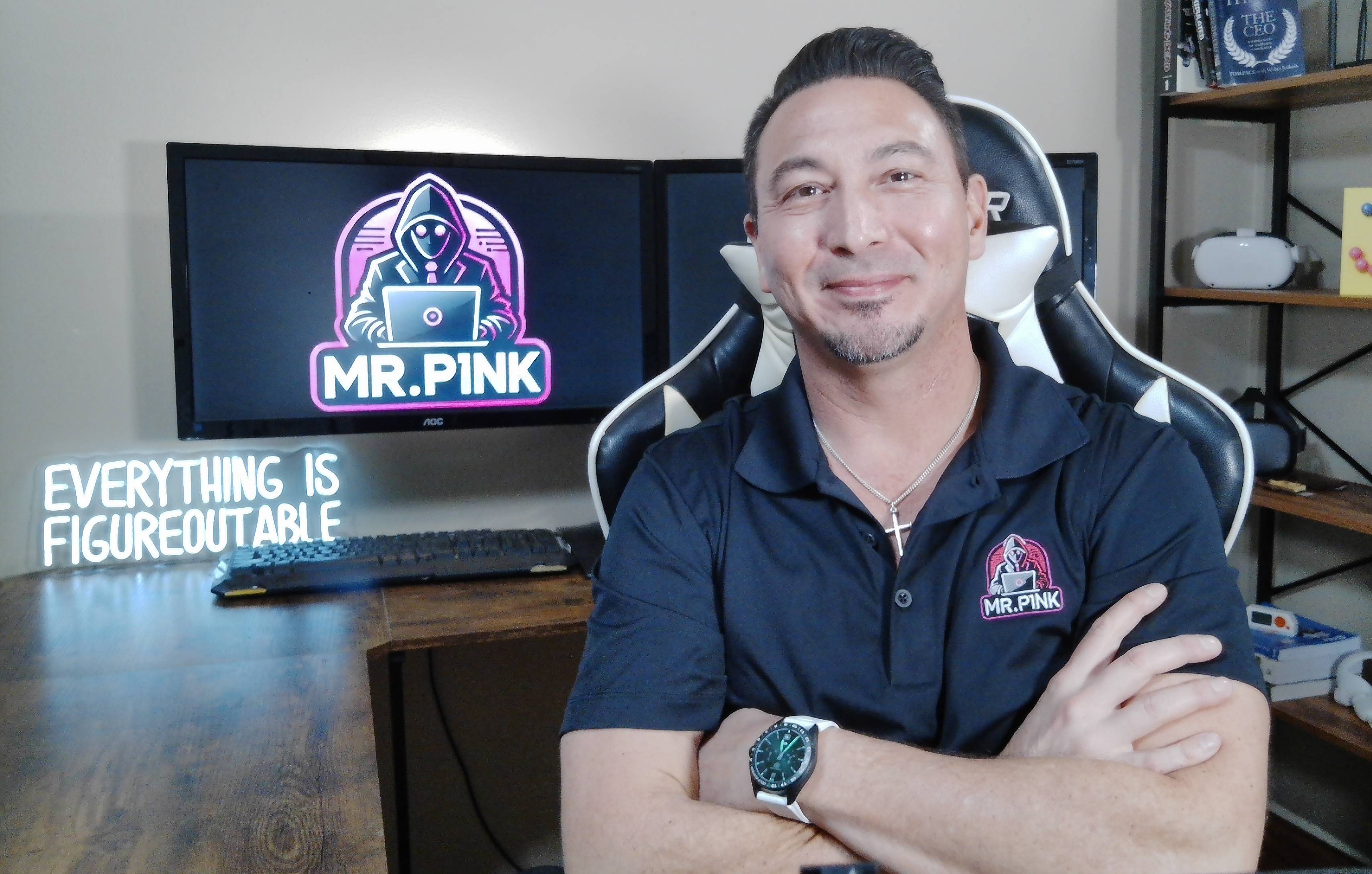
MEET THE FOUNDER & CEO
Hey, I’m Mr. P1nk!
I have more than 25 years of professional information-technology experience helping organizations and individuals navigate security, networks, devices, accounts, and changing technology.
I created Mr. P1nks Digital Protection Services to make personal cybersecurity easier to understand. Instead of overwhelming customers with technical terminology or fear-based warnings, I provide clear explanations, practical recommendations, and guided assistance designed around real people and families.
Whether you are concerned about passwords, MFA, account recovery, email security, devices, family access, or kids’ online risks, the goal is to help you address the priorities that matter most.
- More than 25 years of IT experience
- Background in network engineering and IT leadership
- Former college-level technology instructor
- Practical guidance for nontechnical customers
- Husband and father of a preteen and teen
- Calm and nonjudgmental approach
FREQUENTLY ASKED QUESTIONS
Clear Answers Before You Book
DO I NEED TO SEND MY PASSWORDS?
No. Never send passwords through email, text, chat, checkout, or an intake form. You enter your own credentials while being guided.
HOW IS DIGITAL LOCKDOWN DIFFERENT FROM THE SNAPSHOT?
The Digital Security Snapshot identifies risks and provides a prioritized action plan. Digital Lockdown Setup provides guided assistance beginning the recommended changes.
WHICH PACKAGE SHOULD I CHOOSE?
Choose Individual for one person, Couple for two adults, and Family for households that include multiple people, children or teens, shared devices, shared accounts, or broader family-safety concerns.
HOW MANY SESSIONS ARE INCLUDED?
Individual includes one 60-minute setup call and one 30-minute follow-up. Couple includes one 60-minute setup call and one 60-minute follow-up. Family includes one 60-minute setup call, one 60-minute follow-up, and one 60-minute final review.
CAN YOU HELP WITH PASSWORD MANAGERS?
Yes. Password-manager guidance is included. The customer remains responsible for choosing, purchasing if required, configuring, and controlling the password-manager account.
CAN YOU HELP TURN ON MFA?
Yes. MFA setup guidance is included for priority accounts where MFA is available and accessible during the scheduled session.
DO YOU LOG IN TO MY ACCOUNTS FOR ME?
No. Customers remain in control of their accounts and enter their own credentials.
CAN EVERY ACCOUNT BE COMPLETED DURING THE CALL?
Not necessarily. The work completed depends on the package, available time, verification requirements, customer readiness, and the number and complexity of the accounts involved. Priority items are addressed first.
DOES THE FAMILY SERVICE INCLUDE KIDS AND TEEN SAFETY?
Yes. The Family service may include parent-focused guidance involving privacy, shared devices, account recovery, social media, gaming, messaging, household rules, and online exposure. It does not include secretly accessing private messages or installing surveillance software.
WHAT SHOULD I PREPARE?
Prepare your main email account, phone, devices, a list of priority accounts, recent security alerts, and the household members who should attend. Do not send passwords.
CAN YOU GUARANTEE THAT I WILL NOT BE HACKED?
No. No service can guarantee complete protection. Digital Lockdown is intended to reduce risk, strengthen important accounts, improve recovery options, and establish better security practices.
Digital Lockdown services provide guided security assistance and practical recommendations. No service can guarantee complete protection or prevent every future compromise. Customers remain in control of their accounts, devices, passwords, and security decisions.
Home • Services • Free Scan • Digital Security Snapshot • Digital Lockdown • FAQ • Contact • Privacy Policy • Terms of Service • Disclaimer


© 2026 Mr. P1nks Digital Protection Services. All rights reserved.